Table of Contents
Hardware
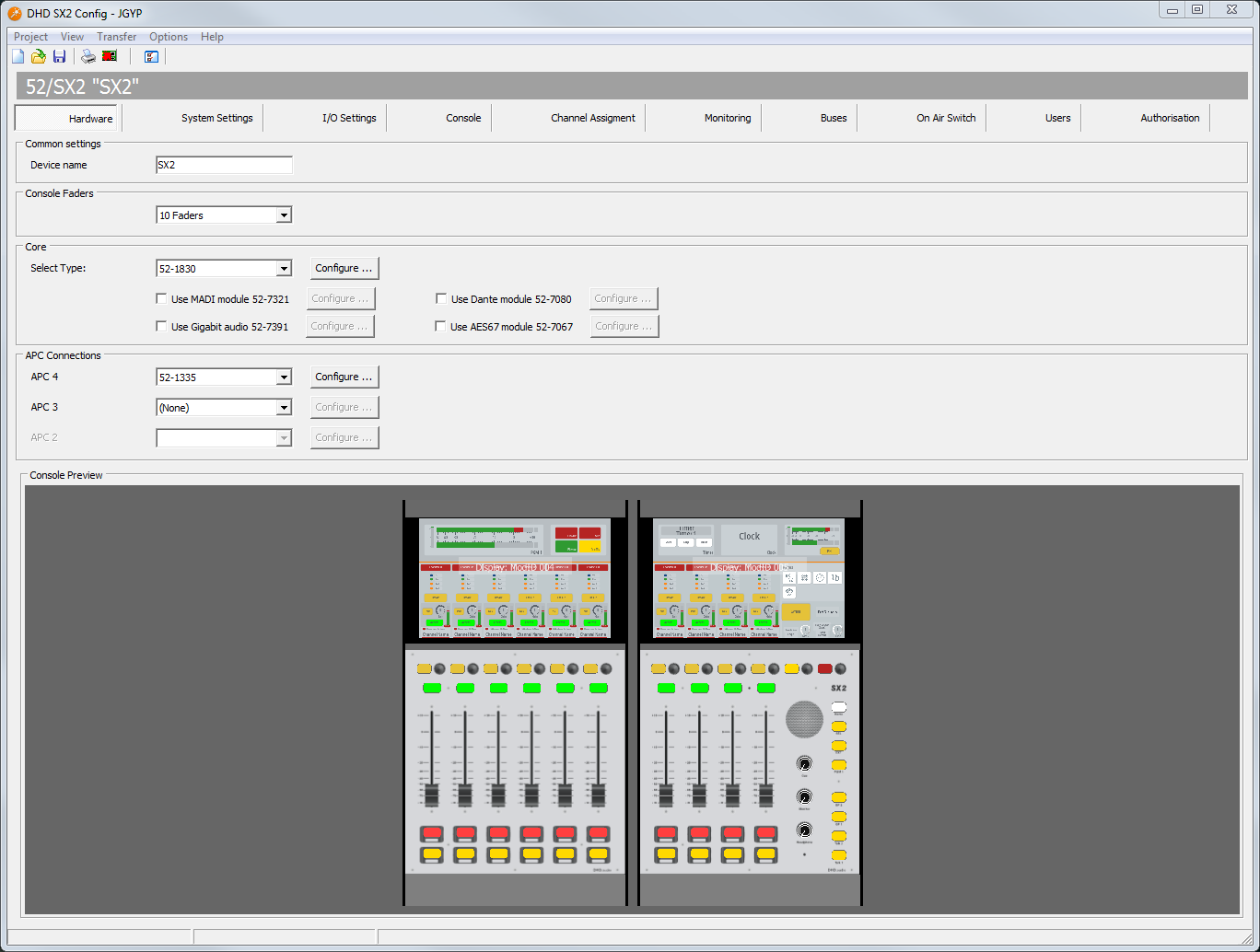
On the Hardware page you can set which SX2 modules are connected to your system.
Common Settings Area
In the Device name box, enter a distinctive device name for this SX2 mixing console.
Console Faders
In the drop-down menu, select the number of faders.
Core
Select your core type. (52-7424: 52/XC2 Core; 52-1830: 52/XS2 Core with integrated Multi I/O (Default))
Use MADI Module 52-7321: If your XS2 core is equipped with a MADI module 52-7321, please select this check box to enable the inputs and outputs for theI/O Settingstab.Use Gigabit Audio 52-7391: If your XS2 core is equipped with a Gigabit Audio SFP Module, this enables the inputs and outputs in theI/O Settingstab. Gigabit Audio is useful e.g. to interlink with other DHD devices.Use Dante module 52-7080: If your 52/XS22 / 52/XC2 core is equipped with a 52-7080 internal Dante module.Use AES67 module 52-7067: If your 52/XS22 / 52/XC2 core is equipped with a 52-7067 internal AES67 module.
Note
Because 52/XC2 and 52/XS2 cores only have one option slot for one internal audio over IP module, you can select either 52-7080 or 52-7067.
The Configure buttons behind each option become available if global options for an I/O Module are available.
APC connections
On the correct APC port, select the I/O module / Device Link you connected to the hardware. Always begin with the highest APC port number available.
The Configure buttons behind each option become available if global options for an I/O Module are available.
Tip
When using older I/O Modules, they are not displayed by default. Go to Options>Configuration and select the Product Filter-Tab.
Activate 
show discontinued products. All Module types are now visible.
for 52-7424 DSP cores
APC 8: Select an I/O type or set the value to(none). Default is52-1335.APC 7: Select an I/O type or set the value to(none). Default is(none).APC 6: Select an I/O type or set the value to(none). Default is(none).APC 5: Select an I/O type or set the value to(none). Default is(none).APC 4: Select an I/O type or set the value to(none). Default is(none).APC 3: Select an I/O type or set the value to(none). Default is(none).
for 52-1830 DSP I/O cores
APC 4: Select an I/O type or set the value to(none). Default is52-1335.APC 3: Select an I/O type or set the value to(none). Default is(none).APC 2: Select an I/O type or set the value to(none). Default is(none).
Console Preview
Shows a version of the console in the preview.